Backvera is billed as one subscription per site. You can start any plan with a 14-day free trial (no card required), buy as many sites as you need, and upgrade at any time. There are four backup plans: Free, Starter, Business, and Scale. Starter, Business, and Scale also come as Security plans, which add security scanning of your backups.
Free
For a personal site or a low-traffic blog.
- Weekly backups
- 1 GB storage
- 30-day retention
- Full restore & download
- Backup encryption
Starter
For a single site you care about. The most popular plan.
- Daily backups
- 2 GB storage
- 60-day retention
- Partial restore (file / row / table)
- Standard support
Business
For agencies and production sites. Everything in Starter, plus:
- Hourly backups
- 10 GB storage
- 90-day retention
- Staging clones for up to 7 days
- External destinations (S3, B2, R2, and more)
- WordPress multisite support
- Priority support
Scale
For WooCommerce and Easy Digital Downloads stores. Everything in Business, plus:
- Realtime backups
- 50 GB storage
- 1-year retention
- WooCommerce-aware and Easy Digital Downloads-aware backups
- Multi-cloud destinations
- Staging clones for up to 30 days
Security plans
Security Starter, Security Business, and Security Scale include everything in Starter, Business, and Scale, plus security scanning of your backups:
- Malware scanning of your backups
- Files checked against official WordPress releases
- Database and admin account checks
- Threats confirmed by a Backvera analyst
Storage, retention, and restores are the same as in the matching backup plan. Free and the backup-only plans do not include security scanning. See Security scanning: how Backvera checks your backups.
Compare the plans
| Feature | Free | Starter | Business | Scale |
|---|---|---|---|---|
| Backup frequency | Weekly | Daily | Hourly | Realtime |
| Storage (per site) | 1 GB | 2 GB | 10 GB | 50 GB |
| Retention | 30 days | 60 days | 90 days | 1 year |
| Partial restore | No | Yes | Yes | Yes |
| Staging duration | No | No | 7 days | 30 days |
| External destinations | No | No | Yes | Yes |
| Multi-cloud destinations | No | No | No | Yes |
| WordPress multisite | No | No | Yes | Yes |
| WooCommerce / EDD aware | No | No | No | Yes |
| Security scanning | No | On Security Starter | On Security Business | On Security Scale |
| Support | Documentation | Standard | Priority | Priority |
Every plan, including Free, ships with encryption at rest and in transit, incremental sync, GDPR-ready exports, full restore, and a choice of storage region (EU, US, or Oceania). For current pricing, see the live pricing page.
Plans are assigned per site, not per account. Run a small blog on Free or Starter and a busy store on Scale, all in the same workspace.
See or change a plan
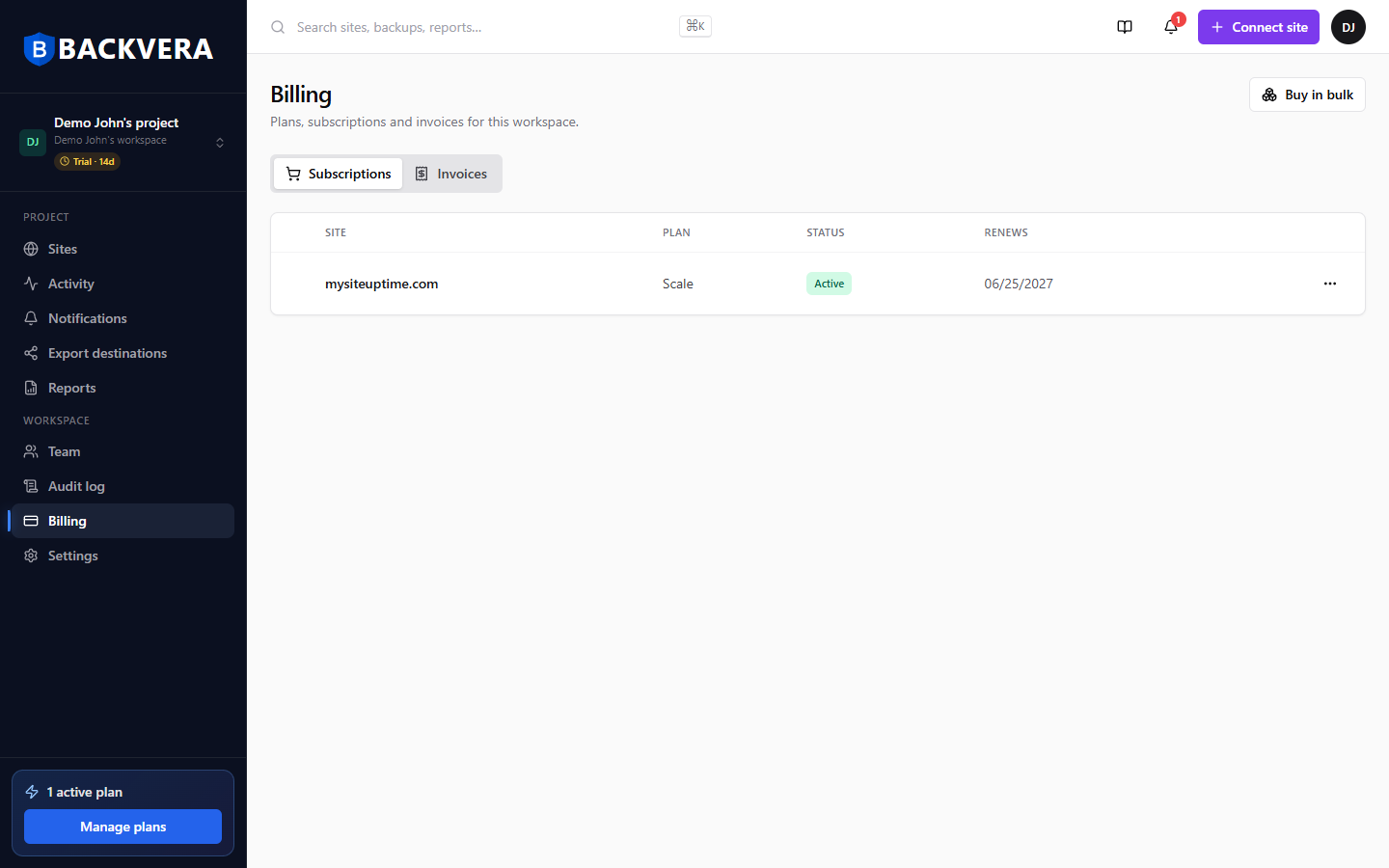
The Billing page (in the sidebar) lists every site with its plan, status, and renewal date. This is where plans are bought, upgraded, and managed.
To see what a single site’s plan covers, open the site and go to Settings > General. The Plan & subscription panel lists what that plan includes (its features) and the renewal date, with a Manage in Billing link that takes you back to the Billing page. An Upgrade option appears in both places, so you can start an upgrade from whichever screen you are on.
Ready to act? See Buy or upgrade a plan for a site and Buy in bulk, assign licences, trials, and invoices.
Still need help? Email our team at [email protected].