Backvera works on virtually any standard WordPress hosting. This page lists what your site needs, and how to check a connected site’s health on its Connection card.
Requirements
- WordPress 5.0 or newer.
- PHP 7.4 or newer.
- A MySQL or MariaDB database (standard for WordPress).
- The WordPress REST API enabled and reachable – Backvera uses it to start and coordinate backups. Some security plugins or hosts disable or restrict it; if yours does, allow it (at least Backvera’s routes). Plain and pretty permalinks both work.
- Outbound internet access, so the Backvera plugin can reach Backvera.
- Reachable from the public internet, so Backvera can reach your site for the connection test and for backups.
The Connection card
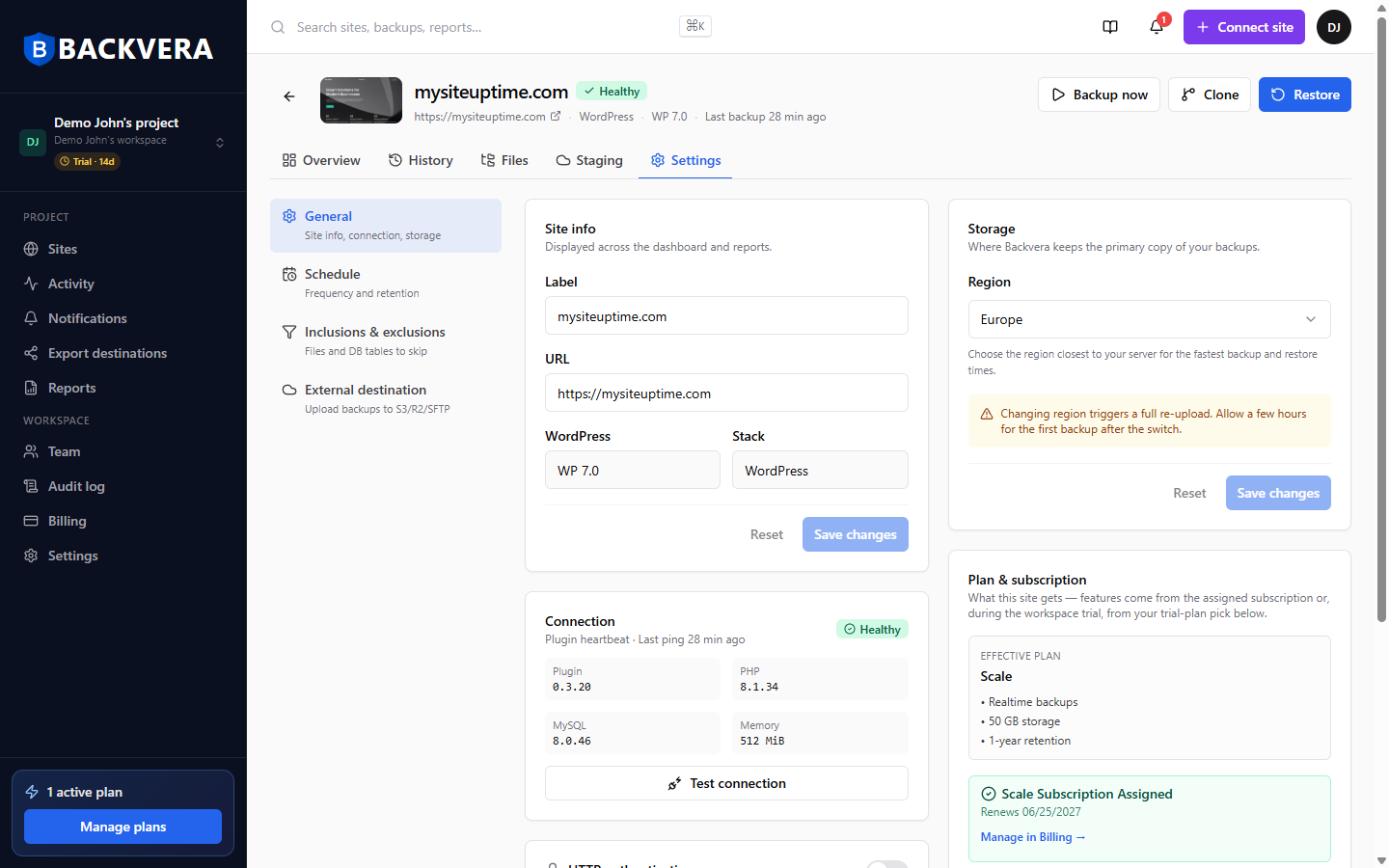
Open the site and go to Settings > General. The Connection card shows the plugin heartbeat (last ping), the plugin version, PHP and MySQL versions, and the memory limit – so you can confirm at a glance that everything meets the requirements above. Use Test connection to check connectivity on demand.
Low-memory hosts
If your host caps PHP memory very low, Backvera flags it on the Connection card – very tight limits can slow or interrupt backups. Raising the PHP memory limit, or asking your host to, resolves it.
Common blockers
If a connection test or backup cannot reach your site, the cause is usually something sitting in front of WordPress:
- A security plugin or firewall blocking the REST API or wp-admin – allowlist Backvera, see how Backvera appears in your logs.
- HTTP basic auth or an IP allowlist in front of the site.
- Maintenance or “coming soon” mode that hides the site.
- The site not being reachable from the public internet – for example, a staging server behind a VPN.
For connection and pairing problems, see pairing errors and how to reconnect a disconnected site.
Still need help? Email our team at [email protected].