A Disconnected status means the Backvera plugin can no longer authenticate with your account, so backups are paused. Your snapshot history and stored backups are safe – once you reconnect, new backups continue under the same site.
Why it happens
- The plugin was deactivated or deleted
- The connection key was rotated or removed.
- The site moved, or the plugin files were overwritten.
- Your site was down
How to reconnect
Open the site and use the reconnect banner. You have three options:
- Download a fresh plugin ZIP and re-upload it to overwrite the old copy.
- Use one-click reinstall with your WordPress admin login.
- Paste the connection key from Settings > Backvera into the dashboard.
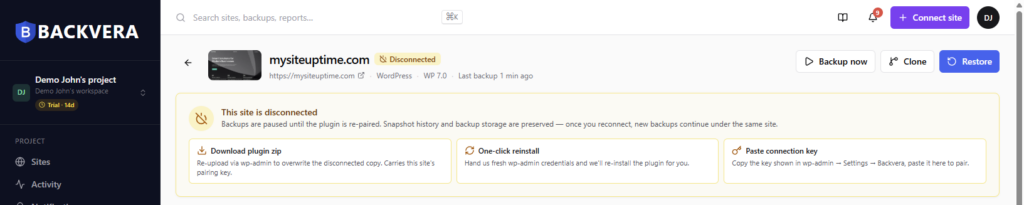
After any of these, the site returns to Healthy and resumes its schedule. See also Pair your site manually and pairing errors.
Still need help? Email our team at [email protected].