Upgrading PHP can break plugins, themes, or custom code. A Backvera staging site lets you test your WordPress site on a newer PHP version safely – on a throwaway copy – before you change anything on your live host.
Backvera does not change your live host’s PHP version; that is done with your hosting provider. Staging is where you confirm everything works first, so the switch on production is a non-event.
Supported versions
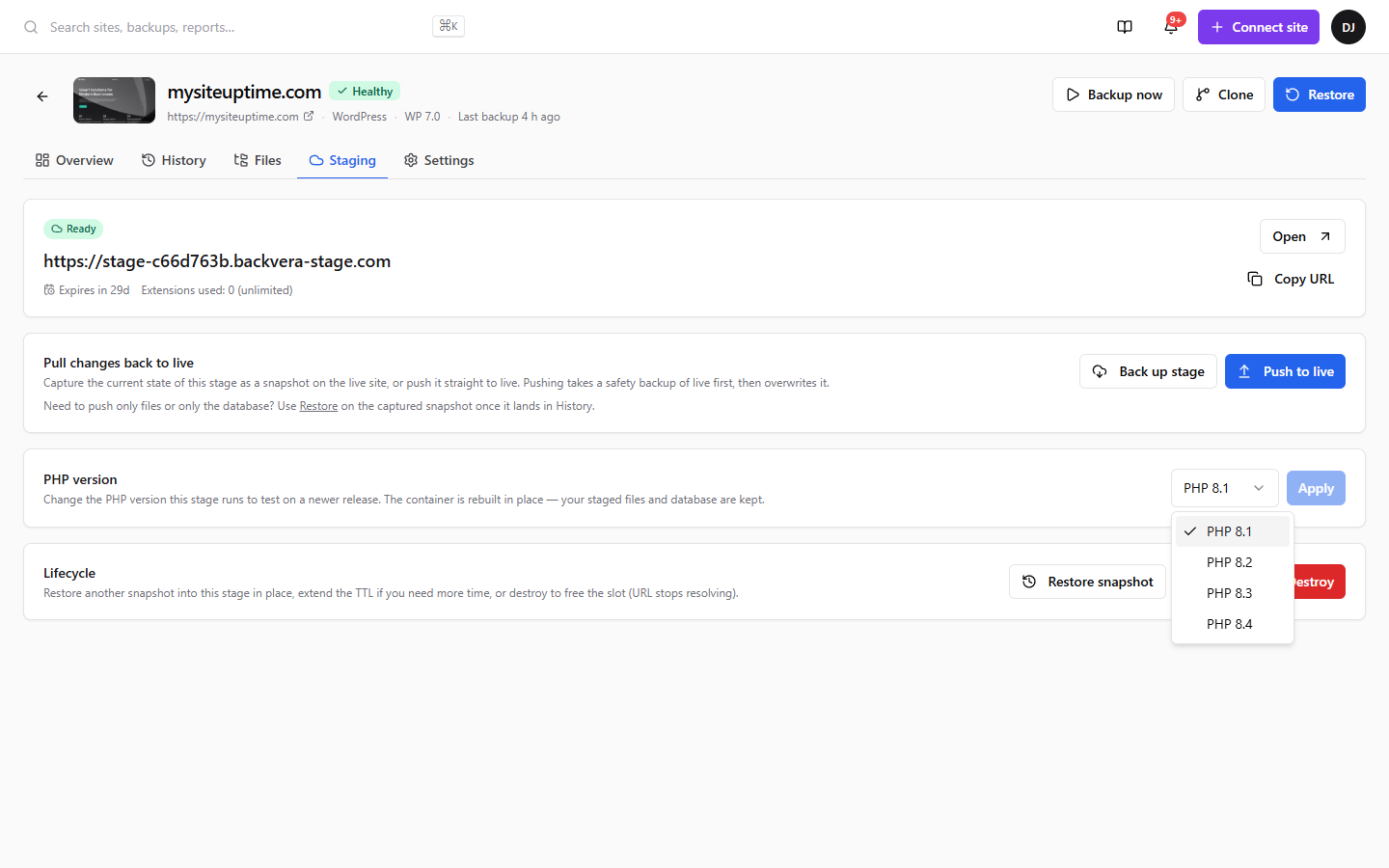
A stage can run PHP 8.1, 8.2, 8.3, or 8.4. A new stage uses your live site’s current version unless you pick another.
The process
- Open the site’s Staging tab and click Create staging env. Optionally choose the PHP version to start on.
- On a running stage, use the PHP-version selector to switch versions. Backvera rebuilds the stage on the new version while keeping its files and database, showing a brief reconfiguring state before it returns to ready.
- Open the staging URL and test: load key pages, sign in to wp-admin, and run your critical flows (checkout, forms, page builders).
- If something breaks, fix it on the stage – update a plugin or theme, or adjust code – and test again, or try a different version.
- When the stage is clean on the target version, ask your host to upgrade your live site’s PHP.
Use case examples
- Your host is deprecating an old PHP version. Stage on the new version, confirm your site works, then let the host upgrade – no surprises.
- A plugin or theme now requires a newer PHP. Test the upgrade on the stage before committing it on production.
- You run a WooCommerce or membership store. Click through checkout, accounts, and emails on the new PHP without risking live orders.
- You maintain custom or legacy code. Surface deprecation warnings and fatal errors in the stage, fix them, and re-test.
- You want to compare versions. Spin up a stage, try 8.2 against 8.4, and pick what works best.
Good to know
- Switching a stage’s PHP version keeps its files and database, so you do not lose your test changes.
- The stage’s PHP version is independent of your live site – changing it never touches production.
- Stages are temporary and expire according to your plan; extend or destroy them when you are done. See Spin up a staging site.
Still need help? Email our team at [email protected].