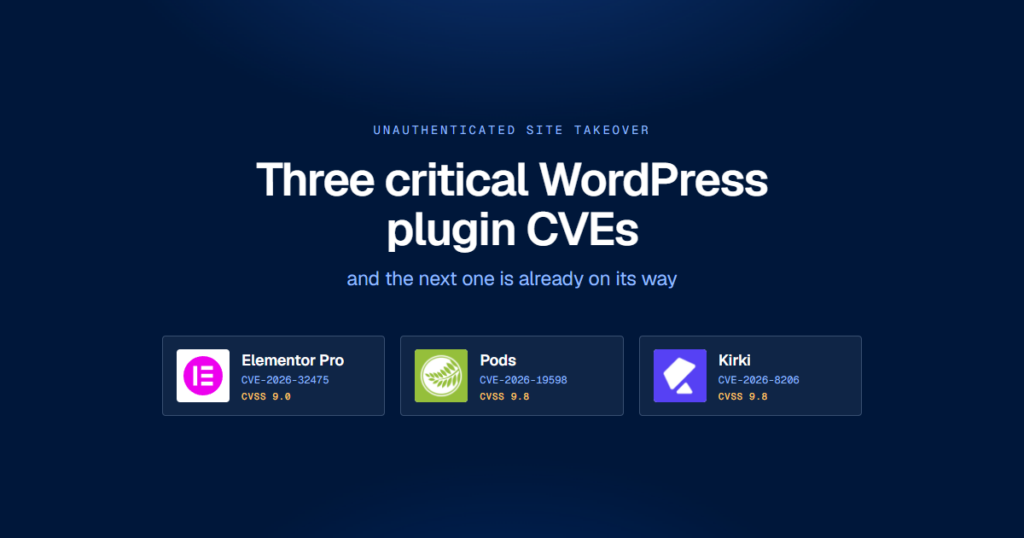
Three critical WordPress plugin vulnerabilities have landed in the space of a few months, and each one hands an unauthenticated attacker the whole site. Elementor Pro can be made to write a PHP file into your uploads directory. Pods will overwrite the administrator’s password on request. Kirki emails an account reset link to whatever address the request supplies.
All three are logic errors in the code that was written to do the checking, rather than anything involving memory corruption or a chained exploit. Where errors of that shape come from, and why so many of them are surfacing now, turns out to matter more than the individual bugs do.
The three flaws
| Plugin | CVE | CVSS | What it gives an attacker | Fixed in |
|---|---|---|---|---|
| Elementor Pro | CVE-2026-32475 | 9.0 | Unauthenticated file upload leading to remote code execution | 4.2.2, 19 August 2026 |
| Pods | CVE-2026-19598 | 9.8 | Unauthenticated privilege escalation to administrator | 3.3.9.1, 14 August 2026 |
| Kirki | CVE-2026-8206 | 9.8 | Unauthenticated password reset hijack, admin takeover | 6.0.7, 18 May 2026 |
Elementor Pro: two loops that disagreed about the same file
The bug
CVE-2026-32475 sits in the Form widget’s File Upload field, in modules/forms/fields/upload.php. Uploaded files pass through two separate loops, one validating extensions and one moving the files into place, and the two disagree about what to do with an empty file entry.
The validation loop hits UPLOAD_ERR_NO_FILE and calls return, which exits the whole function and skips every entry after it. The processing loop hits the same condition and calls continue, which skips that one entry and carries on with the rest.
An attacker submits two file parts for a single field, the first empty and the second a PHP file. The empty first part makes validation quit before it looks at the second, and the processing loop moves the PHP file into wp-content/uploads/elementor/forms/ under a name derived from uniqid(). The extension blocklist in get_blacklist_file_ext() is thorough, covering php through php7, phtml, pht, shtml, hta and exe among others, but it never runs for that second entry. There is no nonce on the elementor_pro_forms_send_form AJAX action either, so nothing else stands in the way.
Read either loop on its own and nothing looks wrong. The defect exists only in the relationship between the two, which is a large part of why it survived review.
What it takes to be exposed
The only precondition is a published page carrying a Form widget with a File Upload field on it: job application forms, support ticket attachments, “upload a photo of the damage” claim forms. The field’s Required toggle is off by default, so plenty of sites have one sitting on a page nobody has looked at in a year.
The one piece of friction is that the attacker has to find the resulting filename, since uniqid() supplies it. Patchstack describes two routes: brute-forcing the microsecond component, which has a small enough range to be practical, or reading it out of the site’s own form notification email, where the default [all-fields] template renders the uploaded file’s URL. Neither route is difficult, and that extra step is what kept the score at 9.0 instead of 9.8.
Where it stands
Tin Pham reported it through the Patchstack bug bounty programme on 16 July 2026. A patch was ready the following day, confirmed effective on 3 August, and shipped in 4.2.2 on 19 August alongside the public advisory and the NVD entry.
No source reports exploitation in the wild as of writing, though the advisory is only six days old. The public write-up describes the bypass in enough detail to reimplement it, and Elementor Pro runs on a very large number of commercial sites, so the absence of reported attacks says more about the calendar than about the risk.
Pods: an error handler that did not stop anything
The bug
Pods has more than 100,000 active installations and exposes a pods_admin AJAX router. On paper that router does everything correctly: it checks the requested method against an allowlist, verifies the nonce, confirms the user is logged in, and checks capabilities.
Every one of those checks reports failure by calling pods_error(). And under a JSON compatibility path used for the meta-box-loader parameter, pods_error() writes the failure to the PHP error log and returns false instead of terminating the request.
Each guard fired correctly, reported its failure, and execution carried on regardless. An unauthenticated request could reach privileged methods including save_user, which is enough to overwrite the site owner’s password and log in as them.
One non-terminating error path reduced four independent security controls to logging statements. Wordfence scored it 9.8 and classified it as CWE-863, incorrect authorisation.
Where it stands
Nhien Pham found it and reported it through the Wordfence bug bounty programme, which paid out 3,900 dollars. Wordfence disclosed to the Pods team on 12 August 2026 and a fix shipped on 14 August, backported across every supported branch: 3.3.9.1, 3.2.8.3, 3.1.4.2, 3.0.10.4, 2.9.19.4 and 2.8.23.4. The CVE published on 15 August.
Wordfence’s advisory noted no evidence of a public proof of concept or of exploitation when it went out. A working proof of concept has since appeared on GitHub, and exploitation attempts have been reported in the days after. That progression, from advisory to public exploit code to opportunistic scanning, took about a week.
Kirki: a password reset that believed the wrong email address
The bug
Kirki is on more than 500,000 sites. CVE-2026-8206 lives in handle_forgot_password() in its CompLibFormHandler class, behind a custom REST endpoint that needs no authentication.
The endpoint takes a username and an email address from the request, and sends the reset link to the email address it was given rather than the one on the account. Supply the administrator’s username and your own email, collect the reset link, set a new password, log in.
Nothing here requires a bypass. The endpoint behaves exactly as written, and what was written trusts a value the attacker supplies.
Where it stands
Kirki shows what the weeks after a patch tend to look like. It was reported to Wordfence on 4 May 2026, the vendor was notified on 16 May, and 6.0.7 shipped on 18 May. By early June, Wordfence was blocking more than 222 exploitation attempts against its own customers in a single 24 hour window, and BleepingComputer reported that roughly 40 percent of the install base, on the order of 200,000 sites, was still running a vulnerable version.
The patch had been out for two weeks by then. A public advisory tells attackers which function changed and why, and diffing a release against the one before it is quick work.
What the three have in common
Line them up and a pattern shows:
- All three are reachable before authentication. A single crafted HTTP request, with no account and no user interaction required.
- All three are logic errors: a
returnwhere acontinuebelonged, an error function that logged instead of halting, and a parameter trusted from the wrong side of the request. - In two of the three, the security check was present and correct and simply never got to run. Read either function on its own and you would sign it off.
- All three end in full site control, either through code execution or an administrator account.
That third point matters most. Each defect lives in control flow across function boundaries rather than in any single line, so a reviewer reading the diff sees nothing to object to. Catching them means tracing every path through the code and asking what happens at each one, which is slow repetitive work that machines have become considerably better at than people.
Why the volume is going up
More eyes, and better ones
Patchstack recorded 7,966 new vulnerabilities across the WordPress ecosystem in 2024, a 34 percent rise on the year before, running at roughly 22 a day. Ninety-six percent were in plugins. Seven were in core.
Some of that is more researchers and better-funded bug bounty programmes, which is exactly how two of the three flaws above were found. Some of it is tooling. Patchstack has had an AI/ML team working on an automated vulnerability scanner since 2023, and was invited into Google’s AI and cybersecurity programme in 2024. Control-flow desynchronisation and non-terminating error paths are precisely the shape of defect a static analyser that models execution paths will surface at scale, and precisely the shape a human reviewer skims past.
More code, written faster
The same tooling works the other way round as well. Patchstack’s reporting flags AI-generated plugin code as an emerging risk, particularly where the author lacks the background to audit what the model produced before shipping it. Plugins written in an afternoon by someone who cannot evaluate the security implications of their own authorisation layer now reach the directory in volume.
Nobody has cleanly separated how much of the increase comes from AI-assisted discovery and how much from AI-assisted code introducing new defects. Both are happening, and both push the total in the same direction.
Where the numbers argue the other way
Volume and risk are different measures, and the exploitation data complicates the picture. VulnCheck’s first-half 2026 figures show CVE issuance up 45 percent year on year while the share of CVEs reaching known-exploited status fell to 1.4 percent, down from 2.7 percent in late 2023. The proportion exploited on or before publication dropped as well, to 23.4 percent from 28.9 percent.
The disclosed total is growing faster than the exploited slice of it. Two figures in the same dataset pull the other way, though: content management systems accounted for roughly a third of all newly tracked exploited vulnerabilities, and around 200 CVEs reached exploited status within 31 days of publication. WordPress is over-represented in the part of the pile that actually gets used, and the entries that do get used move fast.
Expect more of these
The incentives all point the same way. Automated analysis keeps getting cheaper and better, and it is being aimed at an ecosystem of roughly 60,000 plugins where the bar for publication has never been especially high. Bug bounty programmes have made the work pay. Meanwhile the supply of new plugin code is rising while the average amount of security review per line of it falls.
A reasonable planning assumption is that at some point in the next twelve months, something you have installed will turn out to have carried an unauthenticated takeover, and that you will hear about it when the advisory publishes, some days after the people scanning for it did.
What patching does and does not cover
Updating quickly is the single highest-value thing you can do, and none of what follows argues against it. Its limits are still real.
- You cannot patch before the patch exists. Patchstack found that 33 percent of the vulnerabilities it reported were still unfixed when disclosure day arrived, and that more than half of the developers it contacted did not ship a fix in time.
- Publication is a starting gun for both sides. Kirki’s patch was two weeks old when mass exploitation started. Pods went from advisory to public exploit code in about a week.
- A patch does not undo a breach. Update Elementor Pro to 4.2.2 and the upload hole closes. The PHP file already sitting in
wp-content/uploads/elementor/forms/stays exactly where it is, and it still executes. - You often do not know when you were hit. An attacker who used the Pods flaw to reset your admin password had valid credentials afterwards. Nothing in your logs looks like an exploit after that point. It looks like you, logging in.
Patching closes the vulnerability and leaves any compromise that already happened exactly where it is. Those are separate problems, and they need separate controls.
What a backup has to do to be useful here
Against this particular threat a backup has to clear four bars, and a lot of setups fail at least one of them.
It has to reach back further than the dwell time
The gap between compromise and discovery is usually measured in weeks. If you keep seven daily snapshots and you find the web shell on day nine, every copy you own already contains it. Retention has to outlast the time it realistically takes you to notice, which for a site nobody is actively monitoring is longer than a week.
It has to be somewhere the attacker is not
All three of these flaws end with an attacker holding code execution or an administrator account. Either is enough to reach a backup plugin’s archives in wp-content, or its settings, or the cron job that writes them. A backup sitting on the same filesystem as the compromise is available to whoever owns that filesystem. Off-site storage under separate credentials is what keeps it out of reach.
It has to be one you have restored
The first restore is where you find out that the database dump was truncated, or that the archive has been failing quietly since a PHP upgrade in March, or that the process takes six hours you do not have. An incident is an expensive time to learn any of that.
It has to include the database, not just the files
Pods and Kirki both end in the users table. Kirki changes a password. Pods can overwrite an account outright. A files-only backup restores your theme and your uploads and leaves the attacker’s administrator account exactly where it was. The malicious rows in wp_users, wp_usermeta and wp_options are the part that has to go.
Before the next one lands
Things to do this week, roughly in order of value:
- Check these three now. Elementor Pro 4.2.2 or later, Pods 3.3.9.1 or the patched release on your branch, Kirki 6.0.7 or later.
- If you run Elementor Pro forms, list the directory. Anything in
wp-content/uploads/elementor/forms/that is not a document or an image your forms actually accept needs explaining. - Audit your administrator accounts. Both privilege escalation flaws end in an admin account. Look at the user list, look at registration dates, and force a password reset if anything is unfamiliar.
- Turn on automatic plugin updates for anything you are not actively developing against. The exposure window is measured in days now. A weekly manual update round is not fast enough.
- Work out how far back your backups actually go, and whether they live somewhere an attacker with your admin password could delete them.
- Run one restore. Not a verification checkbox but a real restore into staging, timed, so you know what the number is.
Steps five and six are where Backvera fits. Backups are incremental and driven server-side, so they run on their own schedule rather than depending on a cron job that a compromised site controls, and they are stored off-site rather than in a directory the attacker already has write access to. Restores are one click and finish with an atomic swap, so the site stays on the current build until the new one is verified. Restoring into a staging clone is the same operation as restoring production, which is what makes step six something you can actually do on a Tuesday afternoon instead of an exercise you keep postponing.
None of that prevents the next CVE, and nothing else will either. What it changes is the size of the worst case: whether a critical advisory in a plugin you happen to run means an afternoon of checking and a restore, or a rebuild from whatever you can remember.
There will be more of these. The analysis that surfaced the loop desynchronisation in Elementor Pro and the non-terminating error path in Pods keeps getting better, and it is being aimed at tens of thousands of plugins that have never had a serious audit. Plan for the advisory you have not read yet.